Working with Slots
When embedding a web component or some 3rd party library, you sometimes need to put a BBj control like a BBjChildWindow "in the middle" of that other control. That "in the middle" is called a slot. For instance, a tab control or an accordion is used to make areas inside visible or invisible, depending on the state. For a BBj developer, these areas should be BBjChildWindows, so they can be controlled from BBj.
Example for Slots: a Splitter Component from Shoelace
The shoelace library is a set of web components that you can combine with BBj in the way you have learned previously. Create a BBjHTMLView and load the library from the SDN, then use HTML and JavaScript to show the control in the browser.
But how about a component like a Splitter, that would allow you to divide the screen or some area into two parts, and use a divider to change the ratio between both? With Shoelace you can for instance create a horizontal splitter in HTML:
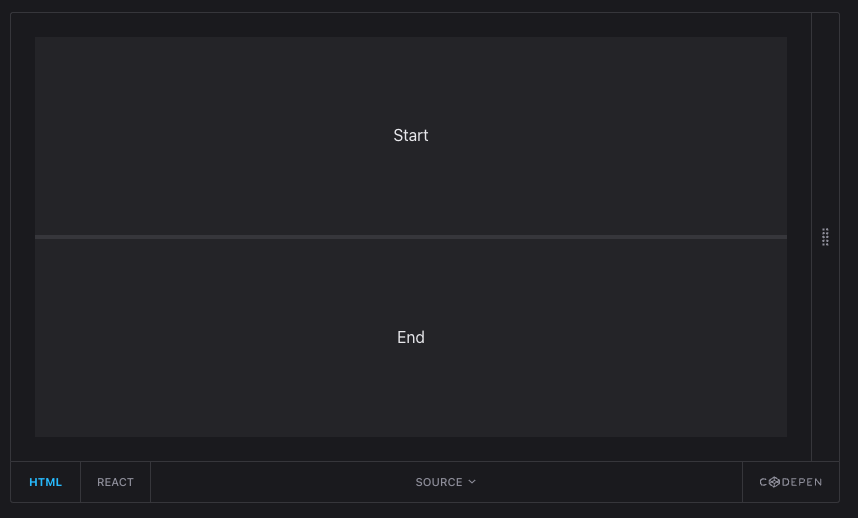
Where the screenshot says "Start" and "End", you would - as a BBj developer - expect a BBjChildWindow on which you can put arbitrary BBj controls.
The problem: when you create a BBjControl or BBjChildWindow on a window, it will be created next to other elements. There is no direct way to create it inside some other element.
There is a trick how you can put a BBjChildWindow inside the slot of some other component: use JavaScript. The sample ShoelaceSplitter shows how it's done:
- you add two Child Windows just like you always do
- with getAttribute("id") you can obtain their id in the HTML DOM
- with "appendChild" you can then move the BBjChildWindow inside the other element which you have created with a UUID as id:
BBjAPI().getSysGui().executeScript(
"document.getElementById('" + sl_splitter!.getAttribute("id") + "').appendChild(document.getElementById('" + top!.getAttribute("id") + "'));"+
"document.getElementById('" + sl_splitter!.getAttribute("id") + "').appendChild(document.getElementById('" + bottom!.getAttribute("id") + "'));")
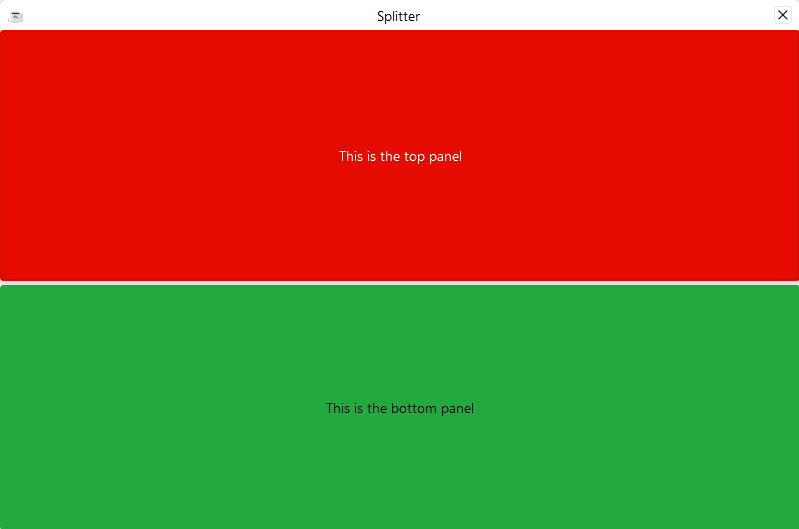
Note: if you want to use the .getAttribute("id") method, you have to use the .setAttribute("id", "your id Here") method before it!Et voilà your splitter with two BBjChildWindows (each one hosting a fullsize BBjButton) - see the example: